PERIOCHART PRO
Periodontal charting and full practice management for dental cabinets — in one bilingual, multi-tenant tool.
- Client
- A dental care business
- Platform
- Multi-tenant SaaS
- Stack
- React 18
TypeScript
Vite
TailwindCSS
shadcn/ui
TanStack Query
NestJS
TypeORM
JWT + Email-OTP MFA
pdfkit / jsPDF
Nodemailer
Swagger / OpenAPI
Overview
PerioChart Pro is a web application for dental practices ("cabinets") that combines periodontal charting with full practice management — patients, billing, prescriptions, inventory and team collaboration — in a single tool. Each practice is a self-contained workspace owned by a practitioner, who can invite team members (dentists, assistants) with granular, role-based permissions governing what each person can view, create or delete, and new practices pass through an approval workflow before activation. The clinical core is an interactive full-mouth chart that records six sites per tooth and automatically flags deep pockets and at-risk patients; around it sits the administrative machinery a real cabinet needs — PDF invoices and prescriptions, inventory with expiry alerts, and legal/billing identity — all bilingual (FR/EN), multi-currency (MAD/EUR) and secured with email-OTP multi-factor auth.
The problem
Periodontal charting and the rest of running a dental practice (patients, billing, prescriptions, stock) lived in separate tools, so at-risk patients were easy to miss between visits.
Approach
- Build the clinical core first: a full-mouth periodontal chart with six measurement sites per tooth that flags deep pockets automatically and keeps every exam as a dated visit.
- Put the administration around it: patient files, prescriptions and invoices as numbered PDFs, and inventory with expiry and low-stock alerts.
- Make each practice its own workspace, with team invitations, granular role-based permissions and an approval step before a new practice goes live.
- Serve practices in two languages and two currencies from day one.
Architecture
- Multi-tenant: every practice is an isolated workspace owned by its practitioner.
- API: NestJS with TypeORM, documented with Swagger/OpenAPI; JWT authentication with email one-time-code multi-factor sign-in.
- Documents: invoices and prescriptions generated as PDFs (pdfkit / jsPDF), sent by email (Nodemailer).
- Front end: React 18 and TypeScript (Vite), shadcn/ui and TanStack Query; French and English, MAD and EUR.
What we built
- Full-mouth periodontal charting
- Automatic deep-pocket risk flags
- FDI & Universal tooth numbering
- PDF invoices & prescriptions
- Inventory with expiry alerts
- Role-based team permissions
- Multi-tenant, approval-gated practices
- Bilingual FR/EN · multi-currency
Dashboard
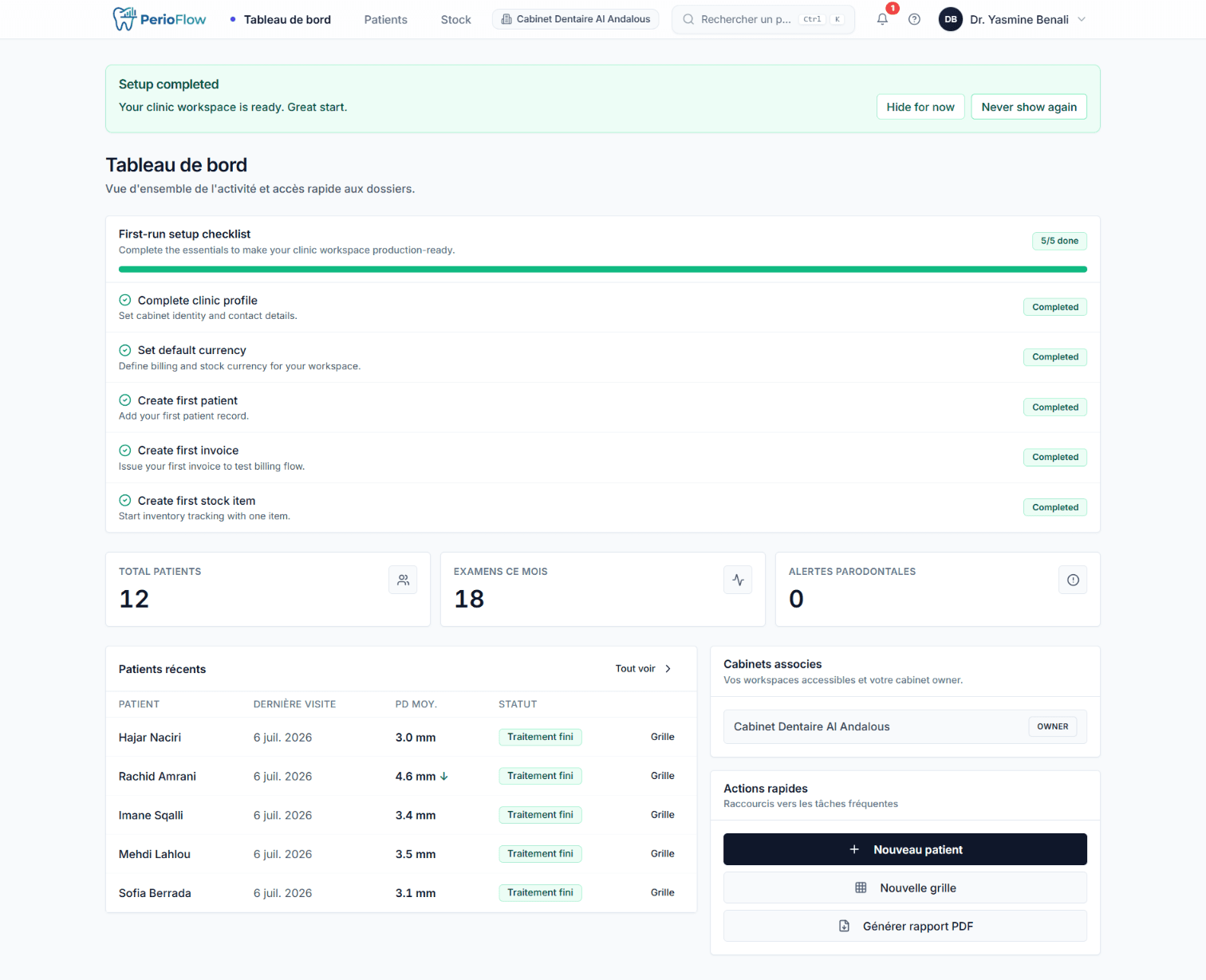
The practice's home screen: an at-a-glance summary of daily activity and the key clinical and business indicators that matter. Crucially, it surfaces periodontal-risk signals — patients with deep pockets flagged from their latest charts — so the team can prioritize follow-ups instead of waiting for the next routine visit. It's the bridge between the clinical record and the day-to-day running of the cabinet.
Periodontal chart — the clinical core
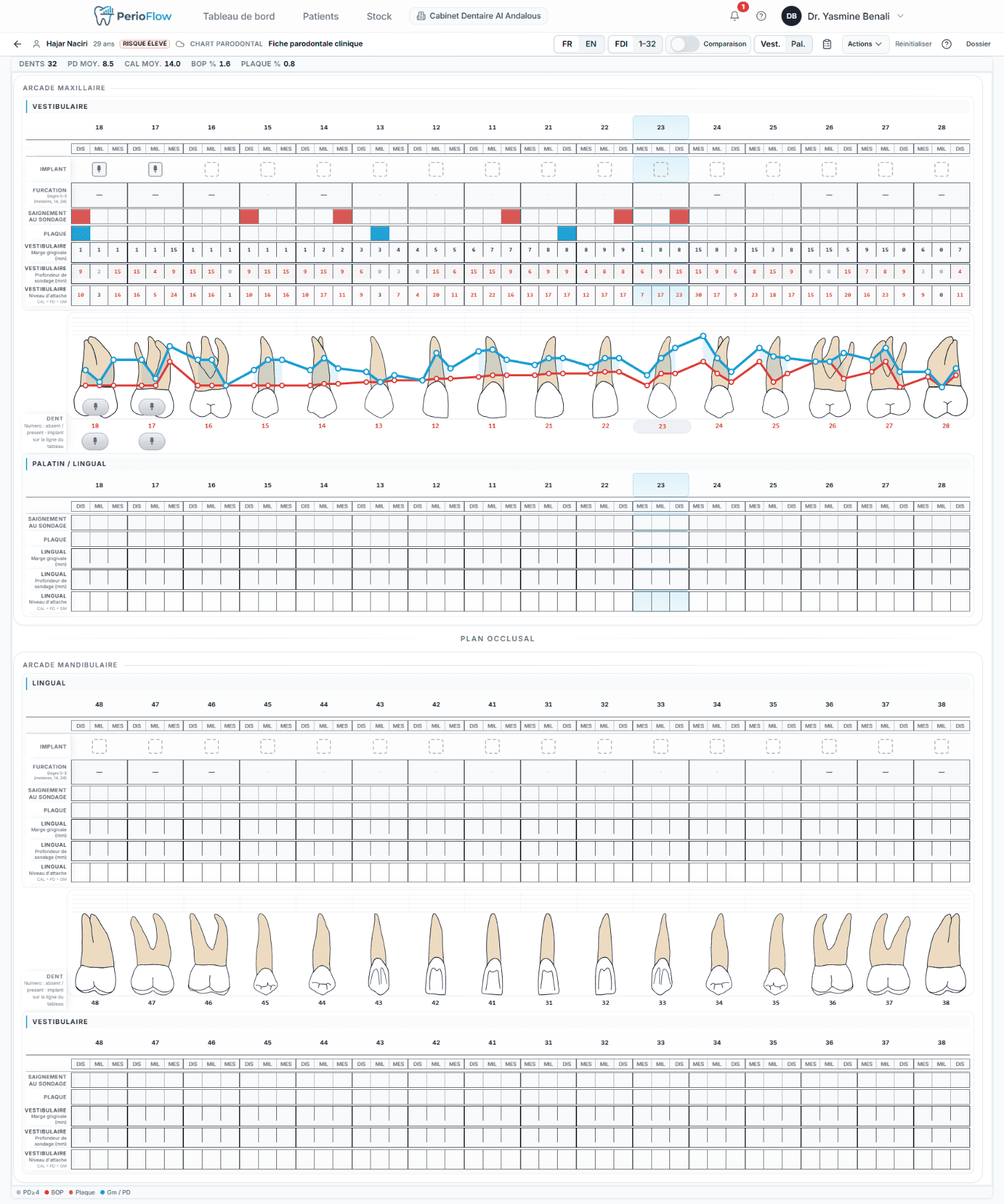
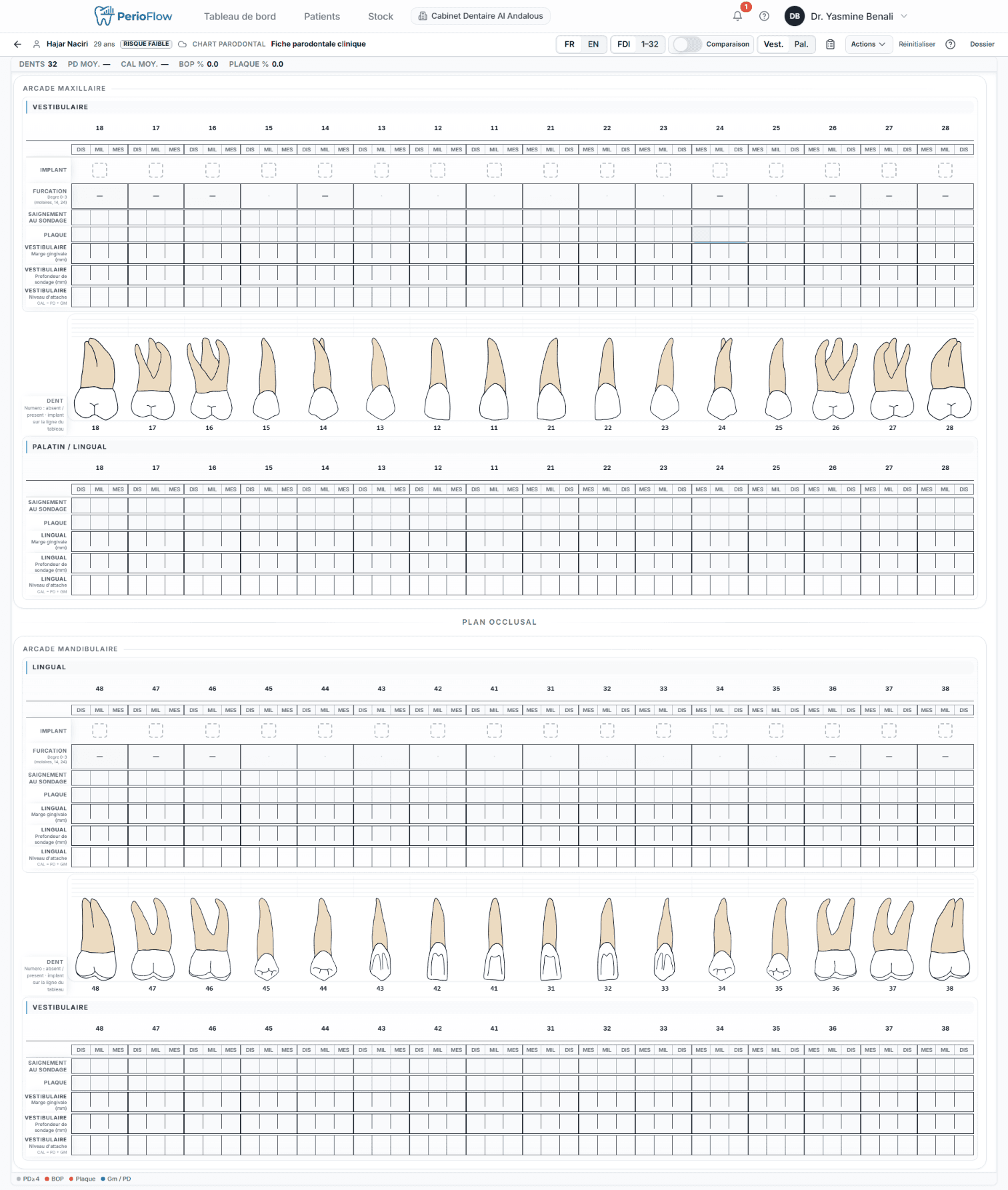
The heart of the app: an interactive full-mouth grid where the clinician records, per tooth, six measurement sites (facial & lingual × distal / mid / mesial) capturing probing depth, gingival margin/recession, bleeding on probing and plaque — plus mobility, furcation, implant status and missing teeth. Deep pockets are highlighted automatically, both FDI and Universal tooth-numbering systems are supported, and each exam is saved as a dated visit so the practitioner can track disease progression across time rather than judging a single snapshot.
Patient records
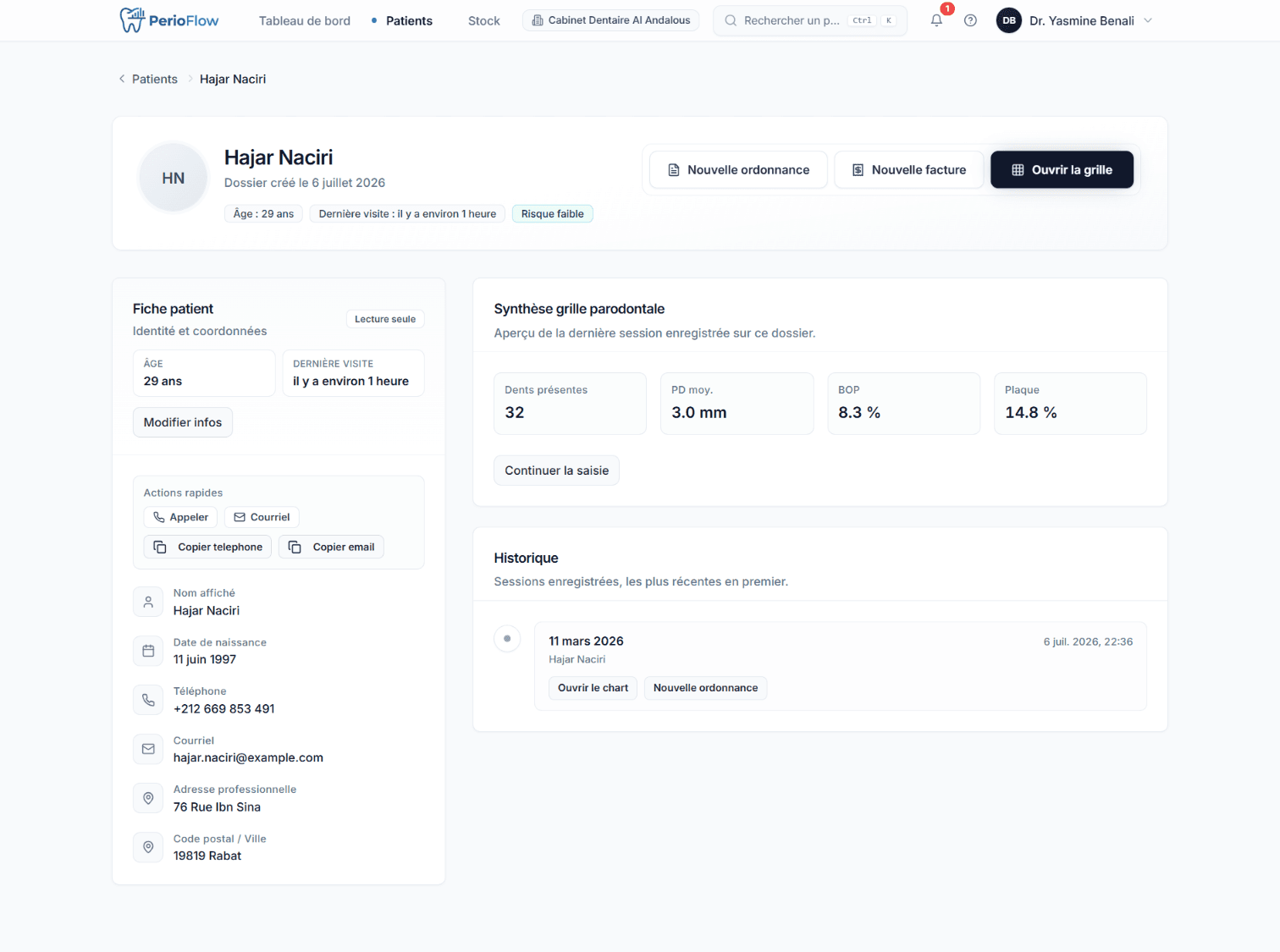
A complete patient file: demographics and contact details, full visit history with every saved periodontal chart, and linked invoices and prescriptions — the entire clinical and administrative picture of a patient in one place. Member-level visibility controls let a practice hide specific patients from individual team members when confidentiality calls for it.
Prescriptions (ordonnance)
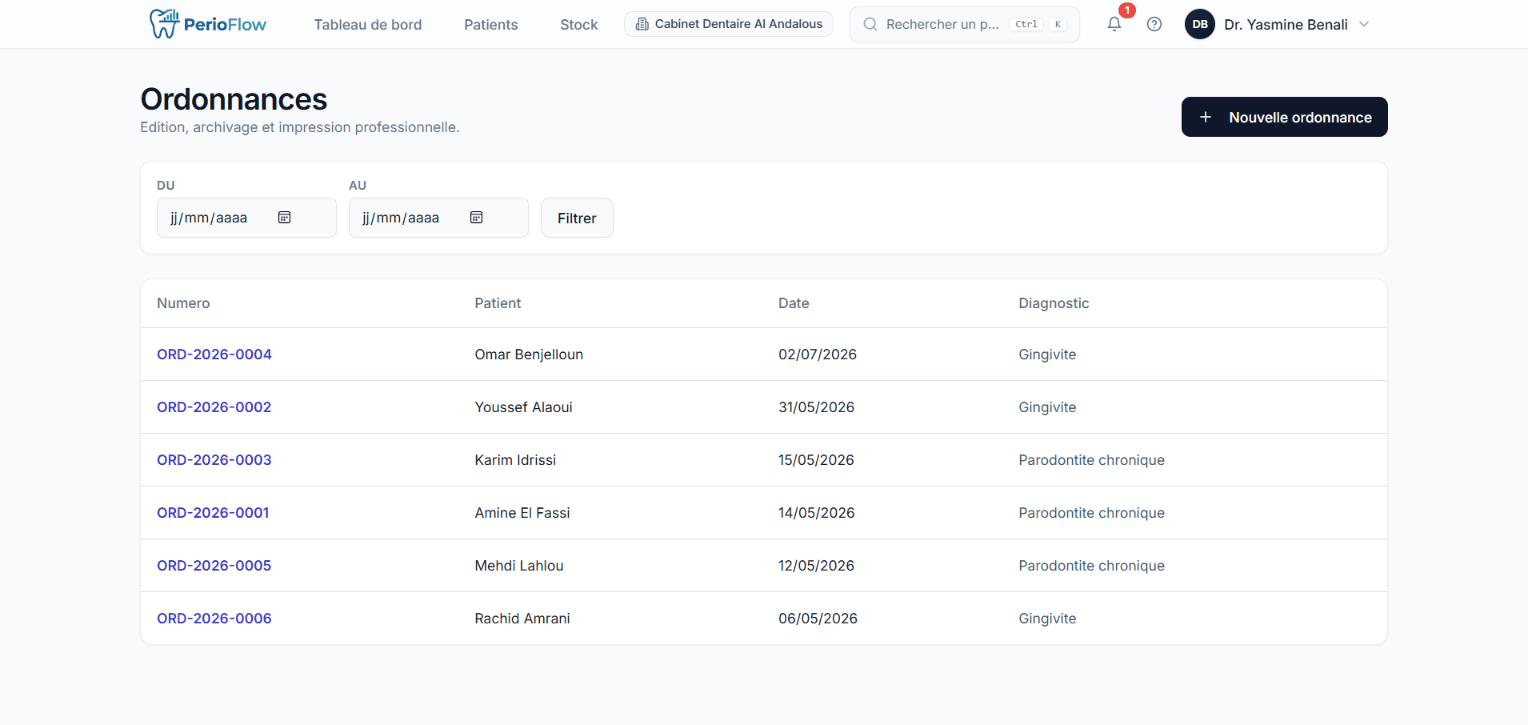
Create and issue prescriptions with a structured medication list (drug, dosage, instructions, duration), diagnosis and clinical advice. Each is auto-numbered per practice (e.g. ORD-2026-0001), rendered as a professional PDF and can be emailed directly to the patient — and linked back to the specific visit it came from, so the record stays coherent.
Billing & invoices
Itemized invoices generated from acts and treatments — act code, description, quantity, unit price, discount % and VAT %, with automatic totals computed to integer-cent precision and sequential auto-numbering (F-2026-0001). Each invoice carries a legal snapshot of the cabinet's identity (ICE/IF/RC, IBAN), moves through draft → sent → paid → cancelled statuses with a full timeline audit trail, warns about missing mandatory legal fields, exports to PDF and sends by email — to the patient on file or a custom recipient.
Inventory & stock
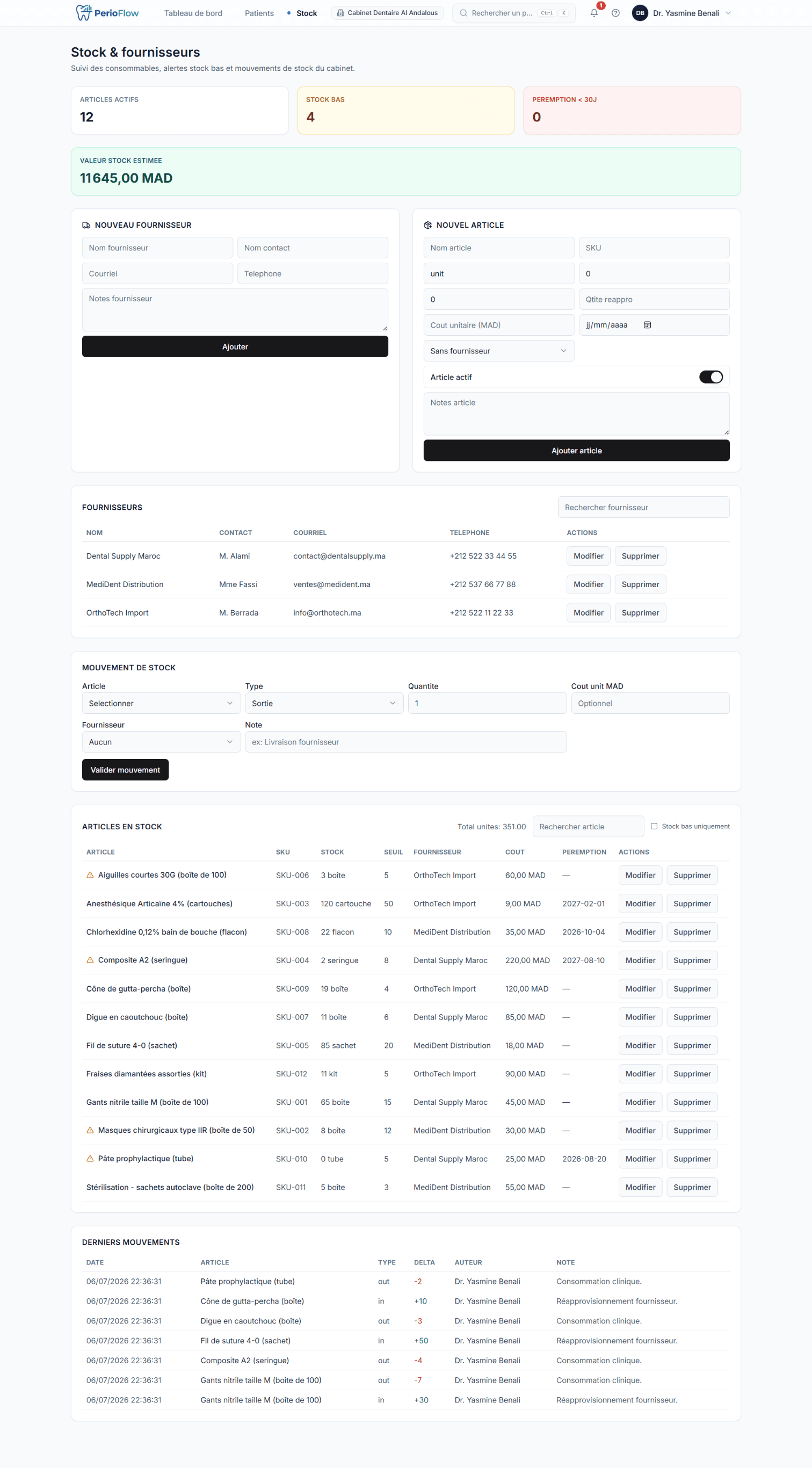
Track clinical supplies with quantity on hand, reorder thresholds and expiry dates, organized by supplier. Stock movements — restocks, consumption and adjustments — are logged with cost, and the system surfaces low-stock and expiring-item alerts so the practice never discovers mid-procedure that it's out of something critical.
Cabinet parameters & team
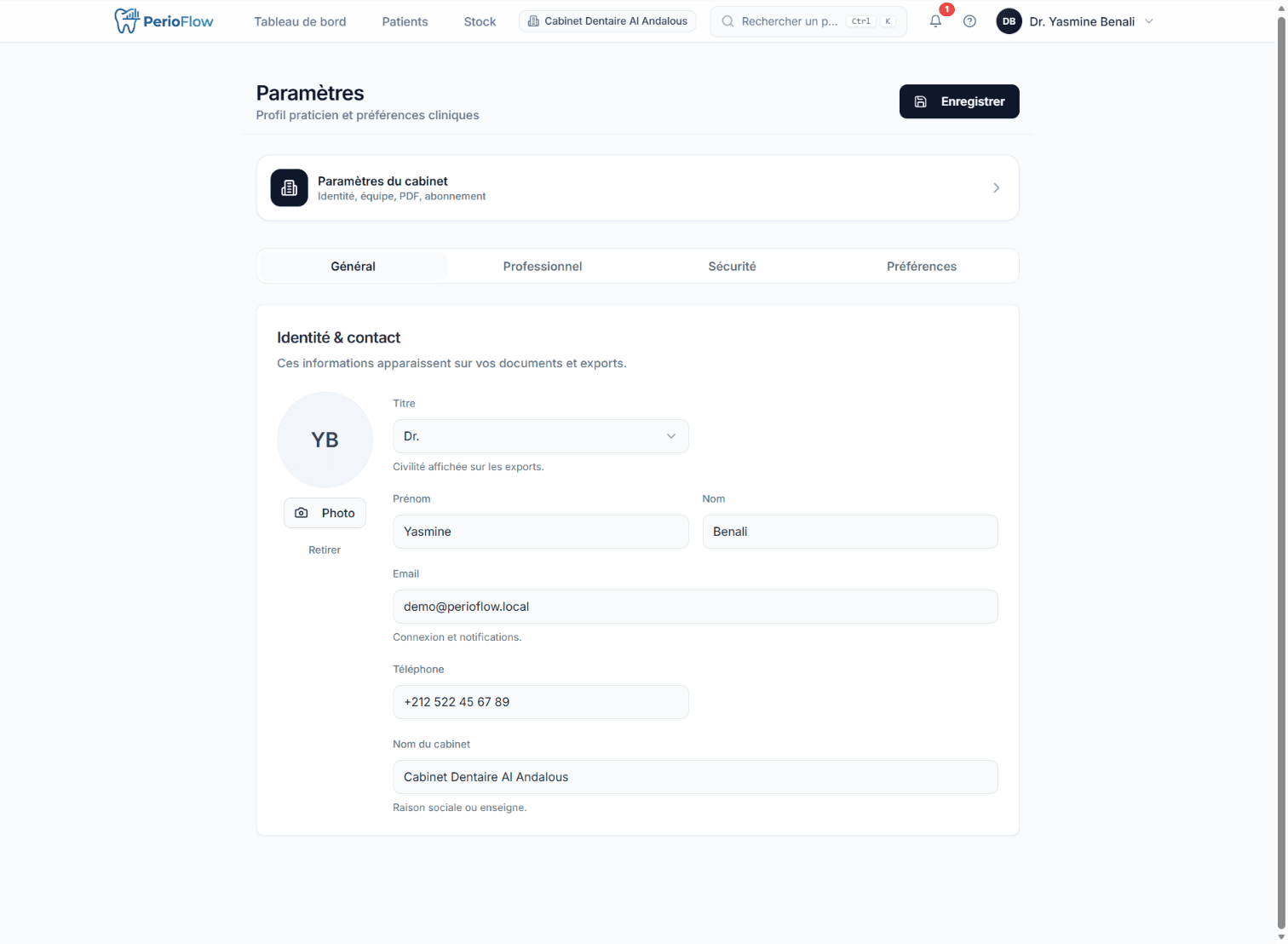
The practice's configuration hub: establishment identity (name, address, contact, logo), legal and billing details, currency and locale, the invoice numbering scheme, and the practitioner's professional profile (title, specialty, license, ICE/IF/RC, IBAN/BIC, signature). It's also where team management lives — inviting dentists and assistants and setting each member's granular, per-action permissions.
Multi-tenant workspaces, roles & security
Under the product sits a serious access-control layer. Every practitioner owns an isolated, multi-tenant workspace that only goes live after an approval workflow (pending → approved / rejected), managed by platform admins with a full audit log. Team members are invited by email into admin / dentist / assistant roles, then narrowed further by per-action permissions and per-member data-visibility overrides. Accounts are protected by JWT sessions with email-OTP multi-factor auth, bcrypt hashing, rate limiting and security headers — and access control is enforced on every clinical, billing and inventory action, not just the UI.
Related
Now booking new projects
One 30-minute call. You get a plan, a timeline and a fixed quote within 12 hours.
Book a free call→